
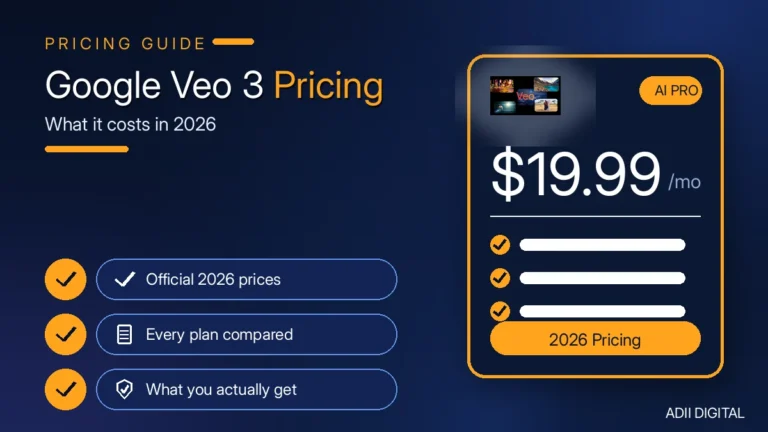
Google Veo 3 pricing works two ways: subscriptions or pay-per-use. Google AI Pro costs around $19.99/month and includes limited Veo 3.1 Fast video generation, while Google AI Ultra costs around $249.99/month with full-quality access. Developers pay per second through the API — around $0.05 to $0.60 per second depending on the model and resolution. Prices change often, so always check Google’s official pricing page before paying.
Veo pricing confuses everyone at first because Google sells it through different doors — the Gemini app, the Flow video tool, and developer APIs — and each door has its own price list. Let’s walk through all of them in plain English, so you can pick the cheapest route for what you actually want to make.
In This Article
- Quick Answers: Google Veo 3 Pricing
- What Is Google Veo 3?
- What Are the Ways to Access Veo 3?
- How Much Do the Google AI Pro and Ultra Plans Cost?
- How Do Flow Credits Work?
- What Does the Veo 3.1 API Cost Per Second?
- What Does One Video Actually Cost?
- Can You Use Veo 3 for Free?
- Which Route Should You Pick?
- A Simple Decision Workflow Before You Pay
- How Can You Avoid Overpaying for Veo 3?
- Prompt Tips That Save Money
- Frequently Asked Questions
- How much does Google Veo 3 cost per month?
- Is Veo 3 free to use?
- How much does one Veo 3 video cost?
- What is the difference between Veo 3 and Veo 3.1?
- Can you use Veo 3 videos for commercial or client work?
- Is Veo 3 worth the price compared to alternatives?
- The Bottom Line on Google Veo 3 Pricing
Quick Answers: Google Veo 3 Pricing
How much does Google Veo 3 cost? Google Veo 3 pricing starts at around $19.99 per month for Google AI Pro, which includes limited Veo 3.1 Fast generation, and goes up to around $249.99 per month for Google AI Ultra with full-quality access. Developers can instead pay per second through the API, at roughly $0.05 to $0.60 per second depending on model and resolution.
Can you use Veo 3 for free? You can try Veo 3 for free through Google Flow, which gives non-subscribers a small daily credit allowance in supported regions — enough for a few short test videos a day. There is no free tier on the API, so developers pay from the first second. For anything beyond casual testing, you will need a paid Pro or Ultra plan.
What Is Google Veo 3?
Veo is Google DeepMind’s AI video generation model. You type a text description, and it creates a short video clip — with native audio built in, including dialogue, sound effects, and background sounds. That audio part is what sets it apart from most competitors: the video comes out with sound, no editing needed.
One honest note before we go further: the original Veo 3 model has been replaced by Veo 3.1 as the current version, and Google marked the old Veo 3 API models as deprecated in 2026. When you see pricing pages talking about “Veo 3.1 Standard / Fast / Lite,” that is what you would actually use today. The pricing below reflects the current model.
In practice, Veo is best for short, polished clips — product demos, social media videos, ad creatives, explainer scenes, and b-roll. It is not a replacement for a full video shoot, but for an 8-second scene that would take hours to film and edit, it can be a genuine time-saver.
What Are the Ways to Access Veo 3?
There are three main routes, and they suit different people:
- Subscription (Google AI Pro or Ultra). Best if you make videos in the Gemini app or Flow. You pay a flat monthly fee and get a monthly allowance of credits for video generation.
- Pay-per-use API (Gemini API or Vertex AI). Best if you are a developer building Veo into an app or workflow. You pay per second of video generated — no monthly fee, just usage.
- Free / limited access. Best for trying it out. Flow offers a small daily credit allowance for non-subscribers in supported regions.
If you are still comparing tools before committing, see our AI video generator pricing comparison for how Veo stacks up against other generators on price.
How Much Do the Google AI Pro and Ultra Plans Cost?
These are the consumer subscriptions:
- Google AI Pro: around $19.99/month (as of 2026). Includes limited Veo 3.1 Fast video generation in Flow and the Gemini app, with roughly 1,000 monthly Flow credits. Good for casual creators and social media use.
- Google AI Ultra: around $249.99/month (as of 2026). Includes the full-quality Veo 3.1 model, higher resolution, longer outputs, and around 25,000 monthly credits. Built for professionals and heavy users.
Prices change, so check Google’s official AI plans page for the current numbers in your region.
| Route | Approximate cost | Best for |
|---|---|---|
| Free Flow credits | $0 (small daily allowance) | Trying Veo out |
| Google AI Pro | Around $19.99/month | Social posts, casual creators |
| Google AI Ultra | Around $249.99/month | Professional, high-volume work |
| Gemini / Vertex API | Around $0.05–$0.60 per second | Developers, apps, automation |
How Do Flow Credits Work?
Inside Flow (Google’s video-making app), generations cost credits instead of dollars:
- Veo 3.1 Lite: around 10 credits per generation (5 for Ultra subscribers)
- Veo 3.1 Fast: around 20 credits per generation (10 for Ultra subscribers)
- Veo 3.1 Quality: around 100 credits per generation
To put that in real terms: with Pro’s roughly 1,000 monthly credits, you could make about 100 Lite videos, 50 Fast videos, or only 10 Quality videos per month. Quality generations burn through the allowance fast, so most casual users stick to Fast or Lite. Note that one request can sometimes trigger multiple generations, which eats credits faster than expected.
A practical habit: check your remaining credit balance before starting a batch of generations, not after. If you are halfway through a project and your credits run out, you either wait until next month or pay for a higher tier — both of which are avoidable with a quick check up front.
What Does the Veo 3.1 API Cost Per Second?
If you use the Gemini Developer API, you pay per second of generated video (with audio included). As of 2026, the approximate rates are:
- Veo 3.1 Lite: around $0.05/sec at 720p, around $0.08/sec at 1080p
- Veo 3.1 Fast: around $0.10/sec at 720p, around $0.12/sec at 1080p, around $0.30/sec at 4K
- Veo 3.1 Standard: around $0.40/sec at 720p and 1080p, around $0.60/sec at 4K
There is no free tier on the API — it is paid billing only. Google only charges you when a video generates successfully, so failed generations do not cost you. Prices change, so verify on the official Gemini API pricing page (linked in the sources note at the end of this article).
Vertex AI (Google Cloud’s version for businesses) has similar rates, plus cheaper video-only options without audio — starting around $0.03/sec for Lite. That matters if you add your own sound later and want to save money.
What Does One Video Actually Cost?
Let’s do the math on a typical 8-second clip at 1080p:
- Lite via API: about $0.64
- Fast via API: about $0.96
- Standard via API: about $3.20
So a single short video costs somewhere between under a dollar and a few dollars, depending on the quality tier. That sounds cheap — and it is, per video. But here is the honest catch: you rarely get the perfect video on the first try. If it takes you three or four attempts to get a clip you like, that $3.20 video really cost you $10 to $13. Budget for retries, not just one generation per video.
For a small project, work it out backwards. Say you need 10 finished clips for a campaign. At three attempts per clip on Fast at 1080p, that is roughly 30 generations × $0.96 = about $29 in API costs — before any editing or voiceover. Doing this quick estimate first stops the bill from surprising you later.
Can You Use Veo 3 for Free?
Sort of. Google Flow gives non-subscribers a small daily credit allowance (around 50 credits per day in supported regions, as of 2026). That is enough for a few Lite generations a day — fine for testing and playing around, but not for real production work.
The API has no free tier at all. If you want to build with Veo programmatically, you pay from the first second. Availability also varies by country, so check whether Veo is supported in your region.
If the free allowance is not enough, check our guide to the best free AI video generators with no watermark — some free tools may cover simple clips while you decide whether Veo is worth paying for.
Which Route Should You Pick?
It depends on what you are doing:
- Just trying it out: use the free daily Flow credits. Costs nothing.
- Making videos for social media a few times a week: Google AI Pro at around $19.99/month is the sensible starting point.
- Professional video work or client projects: Google AI Ultra at around $249.99/month, or the API if you need precise control.
- Building an app or automating video generation: the Gemini API, pay per second. No subscription needed.
One common mistake: subscribing to Ultra when Pro would have been enough. Start with Pro, watch your credit usage for a month, and upgrade only when you actually hit the limits.
A Simple Decision Workflow Before You Pay
- Confirm availability. Make sure Veo and Flow are supported in your country before paying for anything.
- Try the free credits first. Generate a few test clips and judge the quality against what you need.
- Start on Pro, not Ultra. Track how many credits you actually use in the first month.
- Switch to the API only when you need it. If you are generating videos inside an app or an automated workflow, pay-per-second usually makes more sense than a subscription.
Still choosing between tools? Our guide to the best AI video generators in 2026 covers the strongest alternatives to Veo, including options that may fit a smaller budget.
How Can You Avoid Overpaying for Veo 3?
- Start with Fast or Lite. The quality jump to Standard is real, but for drafts, tests, and social posts, Fast is often good enough at a fraction of the cost.
- Write better prompts. Every failed generation costs money on the API. Spend an extra minute on the prompt instead of generating five versions and picking one.
- Do not use the API for casual experiments. The subscription plans are cheaper for play and practice.
- Watch the 4K pricing. 4K costs up to 50% more per second than 1080p on Standard. Unless you truly need 4K, stay at 1080p.
Prompt Tips That Save Money
Most wasted generations come from vague prompts. Before you hit generate, check that your prompt answers these questions:
- Who or what is in the scene? Name the subject clearly instead of saying “a person” or “a product.”
- What happens? Describe one clear action per clip. Long, complicated actions often come out wrong.
- How does the camera move? Say “static shot,” “slow zoom in,” or “tracking shot” so the model does not guess.
- What should it sound like? Since Veo generates audio too, mention dialogue, background noise, or music style — or say “no dialogue, quiet background” if you want silence.
Keep your first test on Lite or Fast. Once the prompt gives you the scene you want, re-run the winning prompt on the higher-quality tier for the final version. That way you pay the top rate once, not five times.
Frequently Asked Questions
How much does Google Veo 3 cost per month?
Google AI Pro costs around $19.99/month with limited Veo 3.1 Fast generation, and Google AI Ultra costs around $249.99/month with full-quality access, as of 2026. Developers can skip the subscription and pay per second via the API instead. Prices change often, so verify on Google’s official pricing page.
Is Veo 3 free to use?
There is no fully free version. Flow offers a small daily credit allowance for non-subscribers in supported regions — enough for a few short test videos a day. Anything beyond that needs a paid plan or API billing.
How much does one Veo 3 video cost?
An 8-second 1080p video costs roughly $0.64 on Lite, $0.96 on Fast, or $3.20 on Standard through the API, as of 2026. Real-world costs are higher because most people need several attempts per finished video.
What is the difference between Veo 3 and Veo 3.1?
Veo 3.1 is the current version — it improved prompt accuracy, added longer clips, and introduced the Lite tier for cheaper generation. Google deprecated the original Veo 3 API models in 2026, so new projects should use Veo 3.1.
Can you use Veo 3 videos for commercial or client work?
That depends on the terms of the plan you use and the rules in your region, so check Google’s current terms for your plan before using Veo output in paid ads or client projects. If you are producing content for clients, keep a record of which plan and model version you used, in case questions come up later.
Is Veo 3 worth the price compared to alternatives?
For top-tier realism with built-in audio, Veo 3.1 is a strong option — but it is also one of the priciest. Cheaper tools work fine for casual use. Veo earns its price when video quality and native audio actually matter for your work. For a broader comparison, see our AI video generator pricing comparison, and if you need narration or voiceover for your clips, check ElevenLabs pricing plans too.
The Bottom Line on Google Veo 3 Pricing
Google Veo 3 pricing is not one number — it is a menu. Around $19.99/month gets you in the door with Pro, around $249.99/month buys the full Ultra experience, and the API charges roughly $0.05 to $0.60 per second for developers. Start small, count your retries, and let your actual usage decide which tier you need.
Want AI video tools without the guesswork? We sell popular AI tool subscriptions in the Adii Digital store with simple checkout and honest guidance on which plan fits your needs. Browse AI tools in our store →
Sources: pricing figures above are approximate and change often. Confirm current rates on the Gemini API pricing page and Google DeepMind’s Veo page before you pay.