
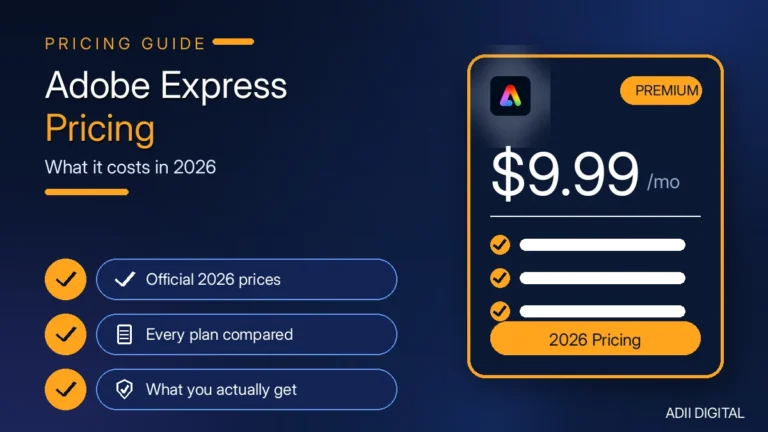
Adobe Express Premium costs around $9.99 per month when billed monthly, or around $99.99 per year when billed annually. There is also a free plan that costs $0, and team plans start at around $4.99 per user per month for the first year. Below is a full breakdown of every plan, what you actually get with Premium, and whether it is worth paying for.
If you make social media posts, flyers, or simple videos for your business, you have probably asked whether Adobe Express Premium is worth the money. The short answer is that it depends on how often you design. Let us walk through the pricing, the features, and a simple way to decide.
In This Article
- Quick Answers
- What Is Adobe Express Premium?
- How Much Does Adobe Express Premium Cost?
- Individual plans
- Teams plans
- The free-with-Creative-Cloud point many people miss
- Is there a free trial?
- What Do You Get With Adobe Express Premium?
- Is Adobe Express Premium Worth It in 2026?
- How Does Adobe Express Premium Compare to Canva Pro?
- How Can You Save Money on Adobe Express Premium?
- How to Decide in 10 Minutes
- Frequently Asked Questions
- How much is Adobe Express Premium per month?
- Is Adobe Express Premium free with Creative Cloud?
- Can I cancel Adobe Express Premium anytime?
- What is the difference between Adobe Express free and Premium?
- Is Adobe Express better than Canva?
- The Bottom Line on Adobe Express Premium Price
Quick Answers
How much does Adobe Express Premium cost? Adobe Express Premium costs around $9.99 per month when billed monthly, or around $99.99 per year when billed annually, which works out to about $8.33 per month. A free plan costs $0, and team plans start at around $4.99 per user per month for the first year. Prices vary by country and taxes, so check Adobe’s pricing page first.
Is Adobe Express Premium worth it? Adobe Express Premium is worth it if you design social posts, flyers, or short videos several times a week and want professional-looking results without hiring a designer. Brand kits, one-click resize, and Adobe Stock assets save real time. If you design only occasionally, or already pay for a similar tool you like, the free plan is likely enough.
What Is Adobe Express Premium?
Adobe Express is Adobe’s simple design app. It runs in your browser and on your phone. You pick a template, change the text and photos, and you have a social post, flyer, or short video in minutes.
The free version handles the basics. Premium unlocks the features most businesses actually use day to day: the full premium template library, Adobe Stock photos and assets, brand kits, one-click resize, background removal, and monthly generative AI credits powered by Adobe Firefly.
Think of it as the easy version of Adobe’s design tools. You do not need Photoshop skills. If you can use a phone, you can use Express. That simplicity is the whole point: it is built for business owners, marketers, and creators who need good-looking content fast, not for professional designers doing complex artwork.
How Much Does Adobe Express Premium Cost?
Here is the pricing as listed for 2026. Prices vary by country and taxes, so always confirm the final number on Adobe’s official pricing page before you pay.
| Plan | Price (around) | Best for |
|---|---|---|
| Free | $0 | Testing Express or designing occasionally |
| Premium, billed monthly | $9.99 / month | Flexibility; cancel anytime |
| Premium, billed annually | $99.99 / year (about $8.33 / month) | Regular users who want the lower effective price |
| Teams | $4.99 per user / month for the first year, then around $7.99 | Small teams that need shared branding and controls |
Individual plans
- Free: $0. Basic templates, 5GB of storage, limited AI generations, and one connected social account per network. No credit card needed. Good for testing or very occasional designs.
- Premium monthly: around $9.99/month. Pay month to month and cancel anytime. This is the flexible option, and the best choice if you are not sure you will use it all year.
- Premium annual: around $99.99/year. Pay once for the year. That works out to about $8.33 per month, so you save roughly two months’ worth compared to monthly billing.
Teams plans
- Adobe Express for Teams: around $4.99 per user per month for the first year, then around $7.99 per user per month (with a two-seat minimum). You get shared brand libraries, admin controls, and template locking so your team stays on-brand.
The free-with-Creative-Cloud point many people miss
If you already pay for Photoshop, Illustrator, or the full Creative Cloud All Apps plan, Adobe Express Premium is typically already included at no extra cost. Check your Adobe account before you buy a separate subscription, because paying twice for the same product is an easy mistake to make.
Is there a free trial?
Adobe has offered a 30-day free trial of Premium for individuals in the past. Trial offers change, so check the official site to see what is available right now. A trial is the best way to test Premium properly: use it for real work for a week or two, not just for one test design.
What Do You Get With Adobe Express Premium?
Premium is not just “more templates.” Here is what your money actually buys, and how each feature helps in practice:
- All premium templates and Adobe Stock assets. A large library of photos, graphics, and videos you can use without watermarks, so your posts stop looking like stock-photo placeholders.
- Brand kits. Save your logo, colors, and fonts so every design looks like your business in one click. This is the feature that makes the biggest difference to consistency over time.
- One-click resize. Make a design once, then resize it for Instagram, Facebook, TikTok, and print in seconds, instead of rebuilding the same post four times.
- Background removal. Remove photo and video backgrounds without any editing skill. Handy for product photos, team headshots, and promotional graphics.
- 250 generative credits per month. Use Adobe Firefly AI to generate images and effects from text descriptions.
- 100GB of cloud storage. Up from 5GB on the free plan, so you are not constantly deleting old designs to make room.
- 30,000+ Adobe Fonts. A huge library of professional typefaces, which helps your designs look less generic.
- Advanced video tools. More editing features and 4K export for short videos.
- Three connected social accounts per network. Schedule and publish to more accounts than the free plan allows.
A practical example: a small business posting three times a week can build one weekly template with its brand kit, duplicate it, swap the text and photo, resize it for each platform, and schedule everything in under an hour. On the free plan, the same workflow takes longer because you rebuild, reformat, and re-upload far more often. If you run that kind of routine, our guide to social media marketing for small business pairs well with this setup, and the Instagram marketing tips will help you get more from the posts you design.
Is Adobe Express Premium Worth It in 2026?
For most solo business owners and freelancers, yes — if you make content regularly. The value comes from time saved and consistency gained, not from any single feature.
It is worth it if:
- You post on social media several times a week and need designs fast.
- You want your posts to look professional without hiring a designer.
- You use Adobe Stock photos often (buying them one by one costs more).
- You want brand consistency without thinking about it every time.
- You already use other Adobe apps and want everything in one place.
It is not worth it if:
- You design something once in a blue moon. The free plan will do.
- You already have Canva Pro and are happy with it. Two subscriptions doing the same job is wasted money.
- You need complex design work. Express is simple on purpose; real Photoshop work still needs Photoshop.
- You are still testing whether content marketing is right for your business. Start free, then upgrade when the volume justifies it.
The honest math: if Premium saves you even two hours a month of design struggle, it has paid for itself for most small businesses. If it saves you nothing because you barely open it, it has not, no matter how good the feature list looks.
How Does Adobe Express Premium Compare to Canva Pro?
This is the question everyone asks. Here is the short version, followed by a fuller comparison in our Canva Pro vs Adobe Express Premium guide. Canva’s own pricing changes often, so compare current prices side by side before deciding — see our Canva Pro price per month breakdown for the latest figures.
- Price: Express Premium is around $9.99/month billed monthly. Compare that with Canva Pro’s current monthly and annual rates, since both services adjust pricing from time to time.
- Templates: Canva has the bigger template library. Express templates tend to look more polished and professional.
- AI images: Express uses Adobe Firefly, which is trained on licensed content and is designed to be safer for commercial client work. Canva’s AI is good too, but Firefly’s output often looks more realistic.
- Adobe integration: If you or your team touch Photoshop or Illustrator files, Express connects to them directly. Canva does not.
- Ease of use: Both are easy. Canva feels slightly simpler for total beginners; Express feels slightly more powerful once you get going.
Neither is “better” for everyone. If price and Adobe integration matter most, Express wins. If you want the biggest template library and the simplest interface, Canva wins. If you are choosing between design tools as part of a wider setup, our roundup of digital marketing tools can help you see where a design app fits alongside your other software.
How Can You Save Money on Adobe Express Premium?
A few honest ways to pay less:
- Pay annually. Around $99.99/year beats $9.99/month if you know you will use it all year.
- Check your existing Adobe subscriptions. Creative Cloud All Apps and single-app plans like Photoshop typically already include Express Premium. Do not pay twice.
- Start with the free trial. If one is available, test Premium for real work before committing.
- Use the Teams intro pricing carefully. The first-year team rate (around $4.99/user/month) is a real discount — just remember it goes up in year two, so budget for the renewal price, not only the intro price.
- Share the decision, not the account. Buying a “cheap Adobe Express account” from a random seller online is a bad idea. Those are usually shared or stolen accounts that get shut down, and you lose your money and your designs. Stick to Adobe’s own plans.
How to Decide in 10 Minutes
If you are still unsure, run through these steps before you pay:
- Count your designs. How many posts, flyers, or videos did you make in the last month? If it is fewer than four, start with the free plan.
- Check your Adobe account. Log in and see whether Premium is already included with a plan you pay for.
- List your must-have features. If brand kits, background removal, or Stock assets are on your list, you need Premium. If not, free may be enough.
- Try the free version for a week. Note every moment you hit a paywall or a watermark. That list tells you whether Premium solves real problems for you.
- Pick the billing cycle that matches your commitment. Monthly if you are testing, annual if you already know you will use it all year.
That is the whole decision. There is no need to overthink a $9.99 tool — but there is also no need to pay for it while it sits unused.
Frequently Asked Questions
How much is Adobe Express Premium per month?
Around $9.99 per month when billed monthly, as of 2026. Paying annually costs around $99.99 per year, which works out cheaper per month. Prices vary by country and taxes, so check Adobe’s official pricing page for the exact number in your region.
Is Adobe Express Premium free with Creative Cloud?
Yes, in most cases. If you subscribe to Adobe Creative Cloud All Apps, or to individual apps like Photoshop or Illustrator, Adobe Express Premium is typically included at no extra cost. Log in with the same Adobe account and Premium features should be unlocked.
Can I cancel Adobe Express Premium anytime?
On the monthly plan, yes — you can cancel anytime and keep access until the end of your billing month. Annual plans have different terms, and early cancellation may come with a fee, so read the terms before you choose annual billing.
What is the difference between Adobe Express free and Premium?
Free gives you basic templates, 5GB of storage, limited AI generations, and watermarked premium content. Premium adds all premium templates and Adobe Stock assets, brand kits, one-click resize, background removal, 250 monthly generative credits, 100GB of storage, and 30,000+ fonts.
Is Adobe Express better than Canva?
It depends on what you need. Adobe Express Premium costs around $9.99/month, connects with Photoshop and Illustrator, and its Firefly AI images are designed for commercial use. Canva has more templates and a slightly simpler interface. Try both free versions before you pay for either.
The Bottom Line on Adobe Express Premium Price
Adobe Express Premium costs around $9.99 per month or around $99.99 per year as of 2026, with a solid free plan at $0 and team plans starting around $4.99 per user per month. For small business owners who make content regularly, it is one of the best-value design tools out there — especially if you already have a Creative Cloud subscription that includes it free.
Whatever you choose, verify the current price on Adobe’s official Express page before you buy, because pricing and trial offers change.
Need help with design tools or content for your business? We help small businesses pick the right tools and create content that actually looks professional — without the learning curve. Browse the Adii Digital store for AI tools and design software subscriptions, or get in touch and we will point you in the right direction.