
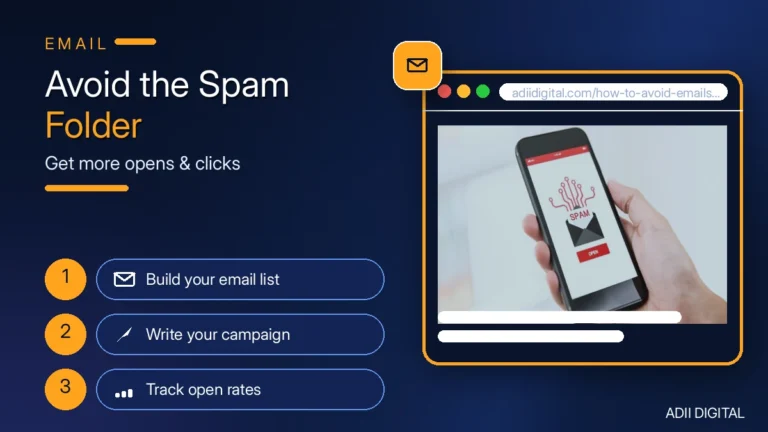
To keep your emails out of the spam folder, set up SPF, DKIM, and DMARC on your domain, only email people who asked to hear from you, clean out inactive subscribers on a regular schedule, avoid spammy words like “free money” or “guaranteed cash,” and send on a steady rhythm. Always include a working unsubscribe link, and warm up new domains slowly instead of blasting a big list on day one.
In This Article
- Why Do My Emails Go to Spam?
- How Do I Set Up SPF, DKIM, and DMARC?
- What Are Spam Trigger Words (and How Do I Avoid Them)?
- How Often Should I Clean My Email List?
- What Sending Habits Keep You Out of Spam?
- Frequently Asked Questions
- Why are my emails going to spam all of a sudden?
- Do spam trigger words really matter?
- How long does it take to fix deliverability?
- Should I use a dedicated IP address?
- Does the “from” name affect spam filtering?
Nobody enjoys writing an email that never gets seen. You spent time on the copy, hit send, and then discover most of it went straight to spam. The good news is that deliverability isn’t a mystery. It’s mostly a handful of technical settings plus a few sender habits. Let’s walk through all of it. If email drives client work for you, our email marketing guide for consultants is a useful companion to this post.
Why Do My Emails Go to Spam?
Spam filters look at three things: who you are, what your email says, and how people react to your emails.
“Who you are” means your sending domain and IP reputation. If your domain has no authentication records, or it was used for spam before, filters get suspicious.
“What your email says” means the subject line, the body copy, and the formatting. All-caps headlines, sketchy phrases, and image-only emails trip filters.
“How people react” means engagement. If lots of people delete your email without opening it, or mark it as spam, filters take the hint and start filing your future emails accordingly.
You can’t control filters directly. But you can control everything they look at. Pair this guide with a solid email marketing strategy so your sending habits support deliverability from day one.
How Do I Set Up SPF, DKIM, and DMARC?
These three records tell inbox providers that you’re a legitimate sender. Think of them as your domain’s ID badge. Setting them up usually takes well under an hour in your DNS settings, and it’s one of the biggest deliverability wins.
- SPF (Sender Policy Framework): This record lists which servers are allowed to send email on behalf of your domain. Your email platform (Mailchimp, ConvertKit, ActiveCampaign, etc.) gives you a TXT record to add. It usually looks like
v=spf1 include:sendgrid.net ~all— your provider will give you the exact text. - DKIM (DomainKeys Identified Mail): This adds a digital signature to every email you send, proving it really came from you and wasn’t altered. Your email tool will generate a key and give you a CNAME or TXT record to add to your DNS.
- DMARC (Domain-based Message Authentication): This tells inbox providers what to do when an email fails SPF or DKIM checks. Start with a monitoring policy:
v=DMARC1; p=none; rua=mailto:you@yourdomain.com. Once you’re confident everything passes, you can tighten it toquarantineorreject.
Here is the step-by-step process:
- Log in to your domain registrar or DNS host (GoDaddy, Cloudflare, Namecheap, wherever your domain lives).
- Open your email platform’s settings and find its domain authentication page. Copy the SPF and DKIM records it gives you.
- Add the records as TXT or CNAME entries in your DNS. Save, then wait a few hours for the changes to spread across the internet.
- Add your DMARC record as a TXT entry on
_dmarc.yourdomain.com. - Send a test email and check the headers, or run your next campaign through a free tool like mail-tester.com to confirm everything passes.
One common mistake: if you send from more than one tool (say, Mailchimp plus your CRM), both need to be included in your SPF record, or the second tool’s emails will fail. Each SPF record can only have one entry per domain, so merge them into a single record. If you haven’t picked a sending tool yet, compare the best email marketing software for small business before you wire up authentication.
What Are Spam Trigger Words (and How Do I Avoid Them)?
No single word guarantees a spam folder trip, but filters score emails, and certain words add points. The more you stack up, the worse it gets.
Watch out for these patterns:
- Money promises: “free money,” “guaranteed income,” “double your money,” “no cost,” “cash bonus”
- Urgency pressure: “act now,” “limited time,” “expires today,” “urgent,” “once in a lifetime”
- Shady formatting: ALL CAPS subject lines, lots of exclamation marks (!!!), dollar signs in the subject ($$$), “Dear friend”
- Deceptive tactics: “re:” or “fwd:” when it’s not a reply, fake personal notes, misleading subject lines that don’t match the content
You don’t have to ban these words forever. A sale email can say “limited time” and still land in the inbox if everything else about your sending is healthy. The rule is simple: write like a real person, not like a flyer.
Other copy habits that help:
- Keep a healthy text-to-image ratio. Emails that are one giant image with almost no text look suspicious to filters and unreadable to anyone with images turned off.
- Check your links before sending. Broken links, URL shorteners, and links to shady-looking domains all hurt trust.
- Keep your HTML clean. If you code emails by hand, run them through your email platform’s preview and spam check before sending.
How Often Should I Clean My Email List?
List hygiene is boring and extremely effective. An old list full of dead addresses and people who never open anything drags down your engagement rates, and low engagement drags you into spam.
- Hard bounces: Remove these immediately. A hard bounce means the address doesn’t exist, and repeatedly emailing dead addresses is one of the fastest ways to damage your sender reputation. Most email platforms handle this automatically, but check that yours does.
- Soft bounces: These are temporary failures (full inbox, server down). Your platform should retry a few times, then stop if it keeps failing.
- Unengaged subscribers: If someone hasn’t opened a single email in 90 to 180 days, try a re-engagement email first (“Hey, still want to hear from us?”). If they stay silent, remove them. It feels scary to shrink your list, but a smaller list of real readers beats a big list of ghosts every time.
- Spam traps: Old, abandoned email addresses sometimes get recycled by providers as traps. If you hit them, it’s a red flag. The only defense is never buying email lists and cleaning your list regularly.
And please: never buy an email list. Permission-based sending is the foundation of what email marketing is, and purchased lists break that foundation. Purchased lists are full of dead addresses, spam traps, and people who never asked to hear from you. The complaint rate alone will wreck your deliverability, and it can also breach anti-spam laws in many places.
What Sending Habits Keep You Out of Spam?
Once the technical setup is done, your day-to-day habits do the rest.
- Send from a real name and address. “Sarah from Brightly” beats “noreply@brightly.com” every time. People open emails from people, and noreply addresses can’t receive replies, which hurts engagement signals.
- Stick to a consistent schedule. Sending three emails in one week and then going silent for two months looks erratic. Pick a rhythm you can sustain and keep it.
- Warm up new domains. If you’re sending from a brand-new domain or IP, start with your most engaged subscribers and small volumes, then ramp up over a few weeks. Jumping straight to 50,000 emails on a fresh domain is a classic spam trigger.
- Honor unsubscribes fast. Make the unsubscribe link easy to find, make it work in one click if you can, and process requests within a couple of days. Google and Yahoo now expect bulk senders to keep complaint rates low and make opting out simple — fighting this is a losing battle.
- Use double opt-in for new subscribers. The confirmation email adds one step, but it keeps bots, typos, and fake addresses off your list. Your list grows a little slower and performs a lot better.
- Segment your sends. Don’t blast your whole list with everything. Most email marketing platforms for small businesses let you send product updates to customers, tips to leads, and re-engagement to the quiet ones. Relevant emails get opened; irrelevant ones get deleted or reported.
- Watch your metrics. If your open rates slide or your bounce rate climbs, that’s an early warning. Dig in before it becomes a spam folder problem.
Frequently Asked Questions
Why are my emails going to spam all of a sudden?
The most common causes are a new sending tool that isn’t authenticated, a spike in sending volume, a list that’s gone stale, or a spike in spam complaints. Check your SPF, DKIM, and DMARC records first, then look at your recent engagement and complaint numbers.
Do spam trigger words really matter?
They matter as part of a total score. One “free” won’t sink a healthy sender, but a subject line full of caps, dollar signs, and urgency phrases can push a borderline email over the edge. Write naturally and you’ll rarely have a problem.
How long does it take to fix deliverability?
The technical setup (SPF, DKIM, DMARC) helps within a day or two of DNS propagation. Rebuilding a damaged sender reputation takes longer — usually a few weeks of consistent, clean sending to engaged subscribers before filters fully trust you again.
Should I use a dedicated IP address?
For most small and mid-size senders, a shared IP from a reputable email platform is fine and actually helps, because the provider manages the IP’s reputation. Consider a dedicated IP only when you’re sending high volumes consistently and want full control of your reputation.
Does the “from” name affect spam filtering?
Indirectly, yes. A recognizable sender name gets more opens and replies, and strong engagement tells filters your emails are wanted. A vague or misleading from-name does the opposite.
Keeping your emails out of spam comes down to proving you’re a real, trustworthy sender: authenticate your domain, write like a human, email people who want to hear from you, and keep your list clean. If you’d rather have someone handle the setup and the ongoing strategy for you, take a look at our digital marketing services and we’ll get your deliverability in shape.