
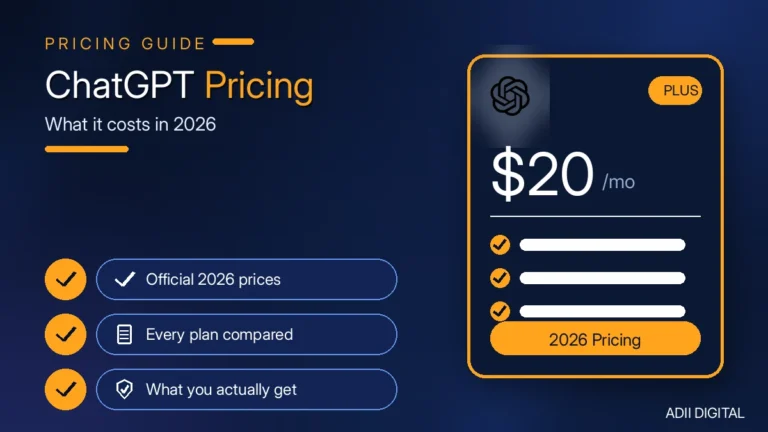
If you are thinking about upgrading, the first question is simple: what is the ChatGPT Plus price per month, and what do you actually get for it? In short, ChatGPT Plus is typically listed at around $20 per month, billed monthly, with no contract — you can cancel anytime and keep access until the end of your billing period. Because OpenAI changes plan details from time to time, always check the official pricing page before you subscribe.
In This Article
- ChatGPT Plus Price: The Short Breakdown
- ChatGPT Plans at a Glance
- What Does ChatGPT Plus Include?
- ChatGPT Plus vs Free: What’s the Real Difference?
- ChatGPT Plus vs Pro and Business: A Quick Note
- Is ChatGPT Plus Worth It? Who Should Pay — and Who Shouldn’t
- How Should Students and Small Businesses Decide?
- How to Get the Most Out of ChatGPT Plus
- Frequently Asked Questions
- How much is ChatGPT Plus per month?
- Is there an annual plan for ChatGPT Plus?
- Can I cancel ChatGPT Plus anytime?
- Is ChatGPT Plus worth it compared to the free plan?
- Does ChatGPT Plus include API access?
- Can I share one ChatGPT Plus account with my team?
- Final Thoughts
This guide explains the ChatGPT Plus price per month, what the plan includes, how it compares with the Free, Pro, and Business plans, and whether it is worth paying for.
Quick answers
How much is ChatGPT Plus per month?
ChatGPT Plus is typically listed at around $20 per month, billed monthly with no contract, so you can cancel anytime and keep access until the end of your billing period. OpenAI can change plan prices and included limits, so check the official pricing page before you subscribe.
Is ChatGPT Plus worth it?
ChatGPT Plus is worth it if you use ChatGPT daily for work, study, or content and keep hitting the free plan’s limits. It raises usage caps and unlocks Deep Research, image generation, and custom GPTs. If you only ask a few quick questions a week, the free plan is usually enough.
ChatGPT Plus Price: The Short Breakdown
The ChatGPT Plus price per month is typically listed at around $20, billed monthly. A few things to know:
- No annual discount. Unlike many subscriptions, there is no cheaper yearly plan for Plus. You pay the monthly amount every month for as long as you keep it.
- No contract. You can cancel at any time and keep access until the end of your billing month.
- API usage is separate. If you use OpenAI’s API for apps or automation, that is billed on its own. Plus does not include API credits.
- One account, one person. Plus is a personal plan. If you need it for a team, there is a separate Business plan (more on that below).
That monthly price has held fairly steady over time, which is rare for a subscription this popular. The features behind it keep growing, so subscribers today get more than subscribers got a few years ago. Still, treat any price you read here as approximate — confirm the current price on OpenAI’s official pricing page before you pay.
ChatGPT Plans at a Glance
| Plan | Typical monthly price | Best for |
|---|---|---|
| Free | $0 | Occasional questions and light use |
| Plus | Around $20, billed monthly | One person using ChatGPT daily for real work |
| Pro | Around $200, billed monthly | Heavy power users who hit Plus limits regularly |
| Business | Around $20–$25 per user per month | Teams that need admin controls and workspace management |
Prices above are approximate and can change. Check the official OpenAI pricing page for the current figures before subscribing.
What Does ChatGPT Plus Include?
Here is what your monthly subscription actually unlocks, in plain language:
- Access to OpenAI’s most capable models. You get higher limits on the advanced reasoning models — the ones that think through hard problems step by step. Free users get these too, but with much tighter caps.
- Higher message limits. Normal daily use almost never hits the Plus ceiling. If you have ever seen the “you’ve reached your limit” message on Free, that is what Plus fixes.
- Deep Research. This runs long, multi-step web research for you and writes up a detailed report. Plus includes a monthly allowance of research runs.
- More image generation. Creating images with ChatGPT is capped on Free and expanded on Plus.
- Custom GPTs. On Free you can use GPTs other people made. On Plus you can build your own — trained on your instructions, files, and tone.
- Memory across chats. Plus remembers things about you and your work between sessions, so you don’t have to re-explain context every time.
- Voice mode and file uploads. Expanded voice conversations, file uploads, and data analysis tools come with Plus.
- Priority access at peak times. When everyone logs on at once, Plus users get faster responses instead of waiting in a queue.
One honest note: OpenAI changes exactly what is included more often than you would expect. Features get added, limits get adjusted, new tiers appear. Treat any feature list as a snapshot and check OpenAI’s own pricing page before you buy.
ChatGPT Plus vs Free: What’s the Real Difference?
This is the question that matters most. Here is the honest answer: the gap between Free and Plus is smaller than it used to be, but it is still real for regular users.
The free plan ($0) gives you basic text chat — and OpenAI has loosened those limits over time, so casual question-and-answer use is mostly fine now. The catch is everything around it: tighter caps on advanced reasoning, limited image generation, very few Deep Research runs, no custom GPT creation, and basic memory only.
Plus (typically around $20/month) doesn’t change what you can do so much as how much of it you can do. If you use ChatGPT a few times a week for quick answers, Free is probably fine and Plus won’t feel worth it. If you use it daily for real work — writing, research, coding, business tasks — you will hit Free’s walls constantly, and Plus removes that friction.
The simplest test: if you have seen “limit reached” even once in the past month, you will feel the difference immediately.
ChatGPT Plus vs Pro and Business: A Quick Note
OpenAI has more tiers now, so here is the quick version:
- Pro (typically around $200/month) is roughly ten times the price of Plus. It is for people who burn through Plus’s limits on a near-daily basis — heavy researchers, developers running big coding sessions, professionals who need maximum usage every day. For most people, it is overkill. Our full comparison of Claude Pro vs ChatGPT Plus is useful if you are also weighing the main rival.
- Business (typically around $20–$25 per user per month) is the team plan, with a minimum seat requirement. It adds admin controls, workspace management, and stronger data privacy for companies. Solo users don’t need it.
For one person doing real daily work, Plus is the sweet spot. Pro is for heavy power users, and Business is for teams. If you are comparing across providers, also check our guide to the Google Gemini Advanced price per month before you decide.
Is ChatGPT Plus Worth It? Who Should Pay — and Who Shouldn’t
Here is a practical way to decide.
Plus is worth it if you:
- Use ChatGPT most days for work, study, or content creation
- Regularly hit usage limits on the free plan
- Want Deep Research, image generation, or custom GPTs
- Use it for business tasks where waiting in queues costs you time
- Prefer an ad-free workspace
Skip it (for now) if you:
- Only ask ChatGPT quick questions a few times a week
- Have never hit a usage limit on Free
- Just want faster replies — the free plan may be enough for you
- Are a very heavy power user who hits Plus limits too — in that case, look at Pro
One more option if the price puts you off: Claude, also known as Muse AI, is ChatGPT’s closest rival and has a generous free tier. Our guide to using Muse AI free walks through setup and what you get without paying, and our Muse AI vs ChatGPT comparison breaks down which one fits different kinds of work. For a deeper verdict, see our full article on whether ChatGPT Plus is worth it.
For freelancers, marketers, writers, developers, and content creators who use ChatGPT daily, Plus is often the tier that matches how daily users work.
How Should Students and Small Businesses Decide?
Students: If you use ChatGPT to study, write papers, learn coding, or do research regularly, Plus can pay for itself fast. Deep Research alone can save hours on a single assignment. But if you only use it occasionally to explain a concept, start with Free and upgrade only when limits annoy you. Do not wait for a student discount that may not exist — check OpenAI’s current offers before you decide.
Small businesses: This is where Plus shines. For roughly the cost of a single team lunch each month, you get a research assistant, writing helper, idea generator, and data analyst in one. If even one person on your team uses AI tools daily, Plus is an easy yes. If several people need it, compare Plus seats against the Business plan, which adds admin controls and keeps your company data out of model training. For broader ideas, see our roundup of the best AI tools for lead generation.
How to Get the Most Out of ChatGPT Plus
Paying for Plus only helps if you actually use the features that Free does not give you. Here is a simple way to get your money’s worth in the first month:
- Turn on memory and give it context. Tell ChatGPT what you do, who your audience is, and how you like answers formatted. Good context turns generic replies into usable first drafts.
- Use Deep Research for big questions. Instead of asking ten small questions, ask one well-scoped research question — for example, “compare the top email tools for a small agency, with pricing and pros and cons” — and let it pull the sources together.
- Build one custom GPT for a repeat task. Pick something you do weekly, such as drafting social posts, summarising client calls, or checking blog outlines, and save your instructions as a custom GPT so you never start from a blank prompt again.
- Upload files instead of pasting walls of text. Drop in a brief, a spreadsheet, or a draft and ask for a specific output — a summary, a rewrite, or a list of fixes — rather than a vague “improve this.”
- Set a monthly check-in. At the end of your first billing month, ask yourself: did I hit a limit on Free that Plus removed, and did Plus save me at least an hour? If the answer to both is no, cancel and pocket the saving.
A practical tip: keep one running chat per project instead of starting fresh every time. Memory plus project context means less repeating yourself and better answers on the second and third draft, not just the first.
Frequently Asked Questions
How much is ChatGPT Plus per month?
ChatGPT Plus is typically listed at around $20 per month, billed monthly. There is no annual discount and no contract — you can cancel anytime. Prices can change, so verify on OpenAI’s official pricing page before subscribing.
Is there an annual plan for ChatGPT Plus?
No annual billing option is typically offered for Plus. You pay the monthly amount each month for as long as you keep the subscription. Check the official pricing page for the latest billing options.
Can I cancel ChatGPT Plus anytime?
Yes. There is no lock-in. Cancel in your account settings and you will keep Plus access until the end of your current billing period, then drop back to the free plan.
Is ChatGPT Plus worth it compared to the free plan?
For daily users, yes. Plus removes the usage limits and feature caps that slow down regular work — especially Deep Research, advanced reasoning, and image generation. For occasional users, the free plan is usually enough.
Does ChatGPT Plus include API access?
No. The ChatGPT Plus subscription and the OpenAI API are billed separately. If you build apps or automations on the API, you pay for that usage on its own, on top of Plus.
Can I share one ChatGPT Plus account with my team?
Plus is a personal plan meant for one person. If several people need access, look at the Business plan instead — it adds admin controls, workspace management, and stronger privacy for company data.
Final Thoughts
The ChatGPT Plus price per month is typically listed at around $20 — simple, no contract, no annual plan. Whether it is worth it comes down to one question: do you use ChatGPT enough to hit the free plan’s walls? If yes, Plus removes that friction and pays for itself in saved time. If no, the free plan is fine.
If you have decided Plus is right for you, you can subscribe through OpenAI’s official pricing page, or visit the Adii Digital Store.
🎁 Try Muse AI with my referral code
Join through my link and enter code FCUIY7 when you sign up to claim your referral bonus tokens.
Join Muse AI — code FCUIY7 →