
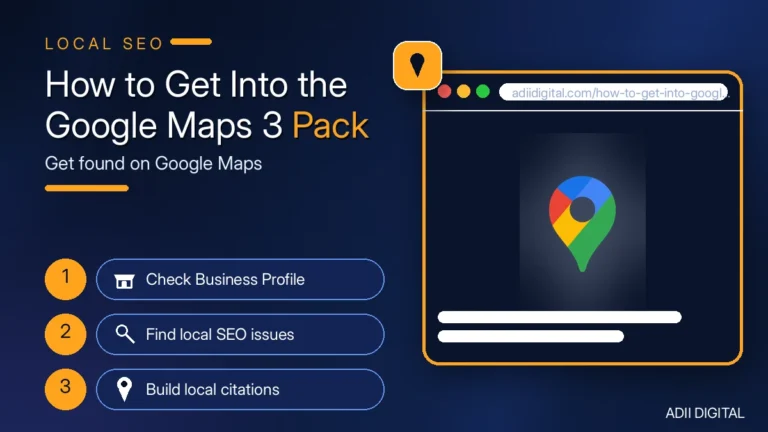
To get into the Google Maps 3 pack, you need a fully completed Google Business Profile with the right category, a steady flow of real Google reviews, consistent business info across the web, and local signals like citations and photos. There is no shortcut or trick — Google rewards the businesses that look the most real, active, and trusted. Follow the steps below to give your business a stronger chance of competing for one of those spots.
That “3 pack” is the map section that shows up at the top of Google when someone searches “plumber near me” or “pizza in Austin.” Those three businesses get most of the calls, clicks, and directions requests. Everyone below them gets the scraps. Here is exactly how to earn one of those spots.
In This Article
- What Is the Google Maps 3 Pack?
- Step 1: Claim and Fully Complete Your Google Business Profile
- Step 2: Pick the Right Primary Category
- Step 3: Get a Steady Flow of Google Reviews
- Step 4: Keep Your Business Info Identical Everywhere
- Step 5: Build Local Citations
- Step 6: Add Photos and Posts Every Week
- Step 7: Earn Local Backlinks
- Step 8: Make Your Website Local-Search Friendly
- How Long Does It Take to Get Into the 3 Pack?
- What Can Keep You OUT of the 3 Pack?
- Frequently Asked Questions
- Can I pay to get into the Google Maps 3 pack?
- Does my distance from the searcher matter?
- How many reviews do I need to rank in the 3 pack?
- Can I do this myself or do I need an SEO company?
- Why did my business disappear from the map pack?
- Start With the Big Four
What Is the Google Maps 3 Pack?
When you search for a local business, Google shows a map with three business listings underneath it. That is the 3 pack. Each listing shows the business name, rating, reviews, hours, and sometimes photos.
Why does it matter? Because most people never scroll past it. On phones especially, the 3 pack takes up the whole first screen. If you are in it, you get seen. If you are not, you are invisible to most searchers.
Google picks these three businesses using three main signals: how relevant you are to the search, how close you are to the searcher, and how prominent you are online. You cannot do much about distance. But relevance and prominence are fully in your control — and that is what this guide covers.
Step 1: Claim and Fully Complete Your Google Business Profile
This is the foundation. Without it, nothing else matters much.
- Claim your listing. Search for your business on Google, click “Claim this business,” and verify it. Google usually verifies by video call, phone code, or mailed postcard.
- Fill in every field. Business name, address, phone number, website, hours, description. Google favors complete profiles — empty fields make you look inactive or fake.
- Use your real business name. Do not stuff keywords in it like “Joe’s Plumbing Best Plumber Dallas Cheap.” That violates Google’s rules and can get your profile suspended.
- Add photos. Upload a logo, a cover photo, pictures of your storefront, your team, and your work. Profiles with real photos get more clicks and rank better.
Most of your competitors have claimed their listing but stopped there. A complete, polished profile already puts you ahead of them.
Step 2: Pick the Right Primary Category
Your category tells Google what you are. It is one of the strongest ranking signals for the map pack.
- Be specific. “Pizza restaurant” beats “Restaurant.” “Emergency plumber” beats “Plumber” if that is really your main service. The more specific your category, the better you match the searches that bring customers.
- Pick what you actually do. A bakery that sells a few cakes should pick “Bakery,” not “Cake shop,” if cakes are a small part of the business. Google checks your website and reviews for consistency.
- Add honest secondary categories. You can add up to nine. A dentist might add “Cosmetic dentist” and “Emergency dental service.” Only add categories you genuinely deserve — extras you do not fit will confuse Google.
Do not change your primary category casually. Switching it can temporarily shuffle your rankings while Google re-evaluates you.
Step 3: Get a Steady Flow of Google Reviews
Reviews are one of the biggest ranking factors for the map pack. Google looks at how many you have, your average rating, and how recent they are.
- Ask every happy customer. The best moment is right after a good experience. Send a text or email with your direct review link — one click should be all it takes.
- Keep it steady. Five reviews a month for a year beats fifty reviews in one week and then silence. Google trusts a natural, ongoing pattern.
- Reply to every review. Thank the happy customers. Handle complaints calmly and offer to fix things privately. Replies show Google and future customers that you are active and you care.
- Never buy reviews. Google detects fake reviews, removes them, and can suspend your profile. It is never worth it.
A business with 200 real reviews will almost always outrank a similar business with 20. Reviews are a long game, so start today.
Step 4: Keep Your Business Info Identical Everywhere
Your business name, address, and phone number must match exactly everywhere they appear online — your website, your Google profile, Yelp, Facebook, every directory. This is called NAP consistency, and Google uses it to confirm your business is real.
- Use one exact format. If your address is “123 Main St, Suite 4,” use that exact wording everywhere. Not “123 Main Street, #4” on one site and “123 Main St” on another.
- Audit your old listings. Search your business name and check directories like Yelp, Facebook, Yellow Pages, and Apple Maps. Fix anything outdated.
- Keep your hours accurate. Wrong hours frustrate customers and erode trust. Update them for holidays.
One sloppy or outdated listing will not kill you, but a messy web presence makes Google less confident about showing you in the 3 pack.
Step 5: Build Local Citations
A citation is any mention of your business name, address, and phone on another website — a directory, a review site, a local news article. They work like votes of confidence for your business.
- Get listed on the major directories. Yelp, Facebook, Apple Maps, Bing Places, Yellow Pages. These are the basics everyone should have.
- Get listed in your industry’s directories. Lawyers have Avvo. Contractors have Angi and Houzz. Restaurants have OpenTable and TripAdvisor. Industry directories carry extra weight.
- Join local sites. Your city chamber of commerce, local business associations, neighborhood blogs. Local links are especially powerful for local rankings.
- Do not buy cheap citation packages. Most are low-quality spam that helps nothing. A few dozen real, relevant listings beat hundreds of junk ones.
Step 6: Add Photos and Posts Every Week
Google rewards profiles that look alive. A profile with fresh photos and regular updates signals an active business.
- Add at least one new photo per week. Your storefront, your team working, finished jobs, new products. Real photos beat stock photos every time.
- Use the Posts feature. Share offers, new products, events, or simple updates once a week. Posts expire after a while, so regular posting keeps your profile looking fresh.
- Upload a good cover photo and logo. These are the first visuals people see. Make them clean and professional.
Listings with photos tend to get more clicks and calls, and fresh photos help your profile look active.
Step 7: Earn Local Backlinks
Backlinks — links from other websites to yours — are a major ranking factor for the map pack.
- Ask local partners. Suppliers, neighboring businesses, and local organizations you work with. A link from a real local business website helps.
- Sponsor something local. A youth team, a charity event, the chamber of commerce. These often come with a link from a local site.
- Get local press. Opening a new location, launching a service, hitting a milestone — send it to local news sites and blogs.
- Create something worth linking to. A genuinely useful local guide or resource on your website earns links naturally over time.
You do not need hundreds of links. A handful of real local ones can move the needle.
Step 8: Make Your Website Local-Search Friendly
Your website and your Google profile work together. A strong local website lifts your map rankings.
- Include your city and service areas naturally on your homepage or a dedicated location page.
- Embed a Google Map on your contact page. It reinforces the connection between your site and your map listing.
- Add LocalBusiness schema markup. This is code on your site that helps Google understand your business details. Most SEO plugins for WordPress can add it for you.
- Make your site fast and mobile-friendly. Most “near me” searches happen on phones. A slow mobile site kills your chances.
How Long Does It Take to Get Into the 3 Pack?
Be honest with yourself: this is not instant. In a competitive market, expect 2 to 6 months of consistent work before you see real movement. In a smaller town or a less competitive niche, it can happen faster.
Anyone who promises you the 3 pack in a week is either lying or using tactics that will get your profile suspended. The businesses that hold their map pack spots are the ones that built them honestly.
What Can Keep You OUT of the 3 Pack?
A few things actively hurt you:
- A suspended profile. Keyword-stuffed business names, fake addresses, and fake reviews get profiles suspended. Check your profile status if you disappeared completely.
- Inconsistent information. If Google finds three different phone numbers or addresses for you, it loses confidence.
- No reviews or ancient reviews. A profile with no recent reviews looks dead to Google.
- A weak or outdated profile. Empty fields, no photos, no posts — Google has no reason to pick you over a business that filled everything in.
Frequently Asked Questions
Can I pay to get into the Google Maps 3 pack?
No. The 3 pack is organic — you cannot buy a spot. Google Local Service Ads and regular ads appear above or near the map, but those are separate paid placements. The only way into the 3 pack is earning it with the steps in this guide.
Does my distance from the searcher matter?
Yes, and you cannot control it. Google favors businesses close to whoever is searching. But relevance and prominence — your profile quality, reviews, and web presence — can absolutely help you outrank a closer competitor who did none of this work.
How many reviews do I need to rank in the 3 pack?
There is no magic number. It depends on your competition — if the top three businesses in your area have 500 reviews each, you need a lot. If they have 30, you need fewer. The real rule: more than your competitors, growing steadily, with a good average rating.
Can I do this myself or do I need an SEO company?
Everything in this guide can be done by a business owner — it takes time, not special skills. The hard parts are consistency (doing it every month) and patience (waiting months for results). If you do not have the time, hiring help is fine — just avoid anyone who guarantees rankings or sells reviews.
Why did my business disappear from the map pack?
The most common reasons: your profile got suspended (check your dashboard for a notice), a competitor reported your listing, your hours or address changed and confused Google, or a wave of fake reviews triggered a filter. Check your profile status first, then your info accuracy and reviews.
Start With the Big Four
If the full list feels like a lot, start with the four steps that move the needle most: complete your Google Business Profile, pick the right category, ask every customer for a review, and keep your business info consistent everywhere. Most local businesses never do even these four — which is exactly why doing them puts you in the running for the 3 pack.
Want us to handle it for you? Getting into the Google Maps 3 pack takes months of steady work — profile optimization, review systems, citations, and local SEO. That is what our local SEO services cover. See our local SEO services →