
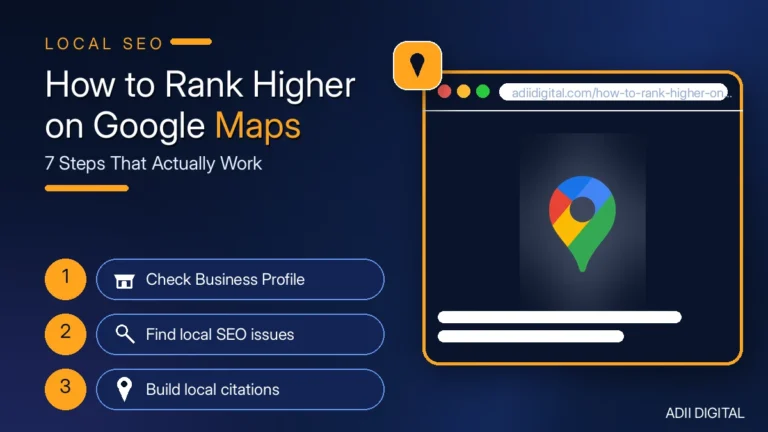
To rank higher on Google Maps, fully complete your Google Business Profile, earn a steady stream of real customer reviews and reply to all of them, add fresh photos every week, keep your name, address, and phone number identical across the web, and build location pages on your website. Results usually take weeks to months, not days.
That is the short version. The steps below are the process we follow for local SEO work: no tricks, no shortcuts that break the rules — just the work that moves the needle.
In This Article
- Quick Answer: How Do You Rank Higher on Google Maps?
- How Does the Google Maps 3-Pack Work?
- How to Rank Higher on Google Maps: 7 Steps
- Step 1: Finish Your Google Business Profile — Every Single Field
- Step 2: Get More Reviews — and Reply to Every One
- Step 3: Add Real Photos Every Week
- Step 4: Post Updates Like It Is Social Media
- Step 5: Keep Your Name, Address, and Phone Number Consistent Everywhere
- Step 6: Answer Questions in the Q&A Section
- Step 7: Strengthen Your Website’s Local Signals
- How Do Reviews Help You Rank Higher on Google Maps?
- How Long Does It Take to Rank Higher on Google Maps?
- Your Weekly Local SEO Checklist
- Frequently Asked Questions
- Can I rank higher on Google Maps without a physical address?
- Should I add keywords to my Google Business Profile name?
- How many reviews do I need to rank on Google Maps?
- Does my website really affect my Google Maps ranking?
- What is the fastest way to improve my Maps ranking this week?
- Should I list a service area or a storefront address?
- Final Thoughts
Quick Answer: How Do You Rank Higher on Google Maps?
How can I rank higher on Google Maps? Complete every field in your Google Business Profile, choose the most accurate primary category, and keep your name, address, and phone number identical everywhere online. Then earn new reviews regularly, reply to each one, and add fresh photos weekly. These signals together improve relevance and prominence, the two ranking factors you can control.
How long does it take to rank higher on Google Maps? In low-competition areas, movement can appear within three to six weeks; in competitive cities or crowded industries, it can take three to six months. Results depend on your starting point, your competitors, and how consistently you update your profile, earn reviews, and publish local content. Steady weekly effort beats a one-time fix.
How Does the Google Maps 3-Pack Work?
When someone searches “plumber near me” or “best pizza in Chicago,” Google shows a map with three local businesses at the top. That is the 3-pack. It gets a large share of the clicks because it sits above the regular search results.
Google picks those three businesses based on three things: relevance (does this business match the search?), distance (how close is it to the searcher?), and prominence (how well-known and trusted is this business?). You cannot control distance. But you can absolutely control relevance and prominence. That is what the rest of this guide is about.
Think of it this way: distance gets you considered, but relevance and prominence get you chosen. A business two streets away with a half-finished profile and no recent reviews will often lose to a slightly farther business with a complete profile, fresh reviews, and an active presence. That is good news, because the second business is entirely within your control.
How to Rank Higher on Google Maps: 7 Steps
Step 1: Finish Your Google Business Profile — Every Single Field
An incomplete profile is the most common reason businesses do not rank. Fill in everything:
- Business name: use your real business name. Do not add extra keywords like “Best Plumber in Chicago.” That breaks Google’s rules and can get you suspended.
- Primary category: pick the closest one. This is the single most important field. A plumber should be “Plumber,” not “Home Services.” If you are unsure between two categories, pick the one your best customers would use to describe you.
- Secondary categories: add every relevant one. A plumber might also add “Drainage Service” and “Water Heater Repair Service.” These help you show up for related searches without diluting your main category.
- Services: list the specific services you offer, using the words customers actually use. If people search for “emergency drain cleaning,” that service should be listed.
- Hours: set regular hours, special holiday hours, and mark “temporarily closed” if that applies. Google rewards accurate hours, and customers trust listings that match reality.
- Phone, website, address: make sure they are correct and match your website exactly.
- Business description: write 2–3 honest sentences about what you do and where you do it. Mention your main services and service area naturally — this is not the place for keyword stuffing.
- Attributes: fill in what applies, such as wheelchair access, free Wi-Fi, or women-led. These help customers filter, and they add relevance.
This takes about an hour. Most businesses skip half of it. Do not be most businesses. If you want a deeper walkthrough of each field, see our Google Business Profile optimization tips.
Step 2: Get More Reviews — and Reply to Every One
Reviews are one of the strongest prominence signals Google uses. Businesses with more recent, positive reviews rank higher. It really is that simple.
Ask every happy customer for a review. The best time is right after you finish the job, when they are happiest. Send them a direct link to your review page — Google gives you a short review link inside your Business Profile settings. Make it easy: “It takes 30 seconds” beats “leave us a review sometime.”
Build the ask into your routine:
- Send the review link in your thank-you message or invoice follow-up.
- Put a QR code linking to your review page at the counter or on receipts.
- Ask in person, then follow up once by text or email. One polite reminder is fine; repeated chasing is not.
- Never offer payment, discounts, or freebies in exchange for reviews. That violates Google’s policies and can get reviews removed.
Then reply to every review, good or bad. Thank happy customers by name and mention the service they used — it shows future readers you pay attention. For bad reviews, stay calm, take responsibility, and offer to fix it. Never argue. Never buy fake reviews — Google removes them and can suspend your profile. A few honest reviews beat a hundred fake ones every time. For a full system, read our guide on how to get more Google reviews.
Step 3: Add Real Photos Every Week
Photos matter more than people think. Profiles with recent photos get more clicks, and Google notices the activity.
Add photos of your real business: your storefront, your team, your work in progress, your finished jobs. Customers can add photos too, and those count. We tell our clients to upload 2–3 new photos a week. It takes five minutes and it keeps your profile looking alive.
A few photo tips that help:
- Lead with your best exterior shot so people recognize you when they arrive.
- Show real work, not stock photos. Before-and-after shots of a finished job build far more trust than a generic image.
- Keep photos current. If you renovated, changed signage, or added staff, update the photos to match.
- Add short videos when you can. A 30-second clip of your team at work or a quick tour of your space works well.
Step 4: Post Updates Like It Is Social Media
Google Business Profile has a Posts feature. Use it. Share offers, new products, events, or seasonal reminders. A post takes two minutes to write and it signals that your business is active.
One post a week is enough. A dentist might post “Now booking holiday appointments.” A restaurant might post this week’s special. Simple, short, and regular beats long and rare.
Rotate through post types so your profile does not look repetitive:
- Offer: a limited-time discount or package with a clear end date.
- Update: a new service, new opening hours, or a new team member.
- Event: a sale, open day, or community event you are part of.
- Helpful tip: one short seasonal tip related to your trade, such as winter pipe care from a plumber.
Each post should have one clear next step — call, book, or visit — and a photo if you have one. Posts expire over time, so this is a habit, not a one-off task.
Step 5: Keep Your Name, Address, and Phone Number Consistent Everywhere
Your business name, address, and phone number — called NAP — should be identical on every website that lists you: Yelp, Bing Places, Apple Maps, Facebook, and industry directories. “123 Main St” on your website and “123 Main Street” on Yelp is a mismatch.
Fix the big ones first: your website, Facebook, Yelp, and Bing. Then work through the rest over a few weeks. Consistency tells Google your business is real and trustworthy.
Watch for the sneaky mismatches:
- Old phone numbers still listed on directories you forgot about.
- An old address from a previous location.
- Suite or unit numbers written differently across listings (“Suite 4” vs. “#4” vs. nothing).
- A slightly different business name on one directory (“Joe’s Plumbing LLC” vs. “Joe’s Plumbing”).
Pick one canonical version of your name, address, and phone number, write it down, and use it everywhere from now on. If you moved or changed numbers, update the old listings rather than leaving them — conflicting details are worse than a single outdated listing.
Step 6: Answer Questions in the Q&A Section
Every Google Business Profile has a public Q&A section, and anyone can ask or answer questions there. If you ignore it, strangers answer for you — sometimes wrongly.
Ask yourself the questions customers actually ask (“Do you offer emergency service?” “Is there parking?”) and answer them yourself. Check back monthly for new ones.
Seed the section with the questions that come up most often in your business:
- Do you offer same-day or emergency service?
- Do you charge for estimates or consultations?
- What areas do you serve?
- Do you offer parking, delivery, or pickup?
- Do you accept cards, cash, or insurance?
Keep answers short, accurate, and friendly. If a customer asks something you cannot answer publicly (for example, a price that depends on the job), say so and invite them to call. And if you spot a wrong answer from someone else, post a correct one politely — do not argue in public.
Step 7: Strengthen Your Website’s Local Signals
Google Maps rankings are partly decided by your website. Three things matter most:
- A location page for each area you serve, with real local content — not copied text with the city name swapped. Mention local landmarks, neighborhoods, and the specific services you offer there.
- Your NAP in the website footer, matching your Google profile exactly.
- An embedded Google Map on your contact page.
If you serve multiple cities, build a page per city. It is more work, but it is the difference between ranking in one neighborhood and ranking across your whole service area.
Two more website signals worth fixing: make sure your site loads quickly on phones (most Maps searches happen on mobile), and make it easy to contact you — a click-to-call button and a short contact form beat a buried phone number. If you are starting from scratch, our local SEO optimization guide walks through the full on-site setup, and a local SEO audit is a good way to find what is holding your site back.
How Do Reviews Help You Rank Higher on Google Maps?
Reviews help in three ways. First, Google reads the words in reviews — when customers mention “emergency plumber” or “best pizza,” it reinforces what you are relevant for. Second, a steady flow of new reviews shows your business is active and trusted right now, not three years ago. Third, your star rating and review count influence whether people click your listing, and more clicks send Google a positive signal.
That is why review velocity — new reviews coming in regularly — matters more than your total count. Ten reviews from this month beat fifty reviews from two years ago.
One more thing reviews do: they answer the buyer’s question before they call. A potential customer reading your recent reviews learns how you treat people, how fast you respond, and whether you fix problems. That is why replies matter as much as the reviews themselves — your replies are public proof of how you run the business.
How Long Does It Take to Rank Higher on Google Maps?
Be honest with yourself about this one. In a low-competition niche or a small town, you may see movement in 3–6 weeks. In a competitive city or a crowded industry like lawyers, plumbers, or restaurants, expect 3–6 months of consistent work.
Anyone who promises you the 3-pack in seven days is either lying or planning to do something that will get your profile suspended. The businesses at the top earned it over time. The good news is that most of your competitors are not doing the basics — complete profiles, weekly photos, review replies — so steady effort wins.
To set expectations: the first signs are usually more profile views, calls, and direction requests, not a sudden jump to position one. Track those numbers in your Business Profile insights month to month. If views and actions are rising, the rankings usually follow.
Your Weekly Local SEO Checklist
Ranking higher on Google Maps is a routine, not a project. Here is the minimum weekly and monthly rhythm that keeps your profile moving in the right direction:
| Task | How often | Why it matters |
|---|---|---|
| Upload 2–3 real photos | Weekly | Fresh activity and more clicks on your listing |
| Publish one Google Post | Weekly | Shows your business is active and current |
| Ask recent happy customers for reviews | Weekly | Steady review velocity and prominence |
| Reply to all new reviews | Weekly | Builds trust and keeps your profile engaged |
| Check Q&A for new questions | Monthly | Stops wrong answers from sitting on your profile |
| Review NAP consistency on top directories | Monthly | Conflicting details weaken trust signals |
| Check profile insights (views, calls, directions) | Monthly | Shows whether the work is paying off |
If doing all of this by hand feels like a lot, a few tools can help with scheduling posts, tracking reviews, and checking listings. See our roundup of the best local SEO tools for small business for options that fit a small team.
Frequently Asked Questions
Can I rank higher on Google Maps without a physical address?
Yes, if you are a service-area business (like a plumber or cleaner), you can hide your address and set service areas instead. You can still rank in the 3-pack. Just make sure your service areas honestly reflect where you work. For help on this, check Google’s Business Profile help center.
Should I add keywords to my Google Business Profile name?
No. Adding keywords like “Joe’s Plumbing — Best Plumber in Chicago” violates Google’s guidelines. Competitors can report you, and Google can suspend your profile. Use your real business name.
How many reviews do I need to rank on Google Maps?
There is no magic number. It depends on your competitors — you generally need to be in the same league as the businesses already ranking. A steady stream of new reviews matters more than a big old total.
Does my website really affect my Google Maps ranking?
Yes. Google uses your website to confirm your business is legitimate and relevant. A fast, complete website with matching NAP and local content strengthens everything you do on your profile.
What is the fastest way to improve my Maps ranking this week?
Complete every field in your profile, upload ten real photos, and ask your five happiest recent customers for reviews. That alone puts you ahead of most local competitors.
Should I list a service area or a storefront address?
Use the setup that matches how customers reach you. If customers visit your location, show your address. If you travel to customers, hide your address and set service areas. Mixing the two — or claiming areas you do not serve — can hurt trust and trigger corrections from Google.
Final Thoughts
Ranking higher on Google Maps is not complicated. Complete your profile. Get real reviews and reply to them. Add photos. Post weekly. Keep your business information consistent. Strengthen your website. Do it every month, not once.
Most local businesses stop after step one. If you keep going, you will pass them. And if you would rather have someone handle it for you, that is exactly what we do — check out our local SEO services and let us get your business into the 3-pack.