
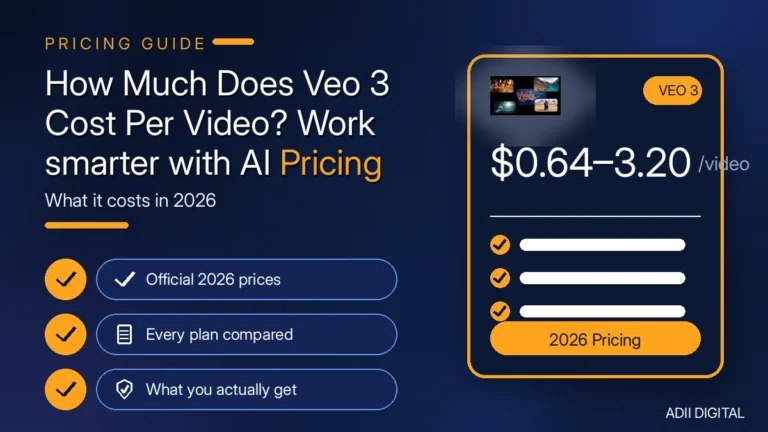
A single 8-second Veo 3 video costs roughly $0.64 to $3.20 through Google’s API, depending on the quality tier — Lite, Fast, or Standard — and the resolution you pick. If you use a monthly subscription instead, one video costs a share of your plan: around $19.99/month for Google AI Pro or around $249.99/month for Ultra, as of 2026. The real cost is higher, because you rarely get the video you want on the first try. Prices change frequently, so treat every figure below as an indicative range, not a quote — always check Google’s current pricing page before you budget. Below, we break down the Veo 3 cost per video across every route — API and subscription — so you can see exactly what each finished clip really costs.
That is the honest answer. Now let us break it down properly — what Veo 3 actually is today, what each route costs per video, and how to keep your real spending under control.
In This Article
- Wait — Is It Veo 3 or Veo 3.1?
- How Is Veo 3 Priced? The Two Routes
- What Does One Veo 3 Video Cost Through the API?
- What Does One Veo 3 Video Cost on a Subscription?
- Why Does Your Real Cost Per Video End Up Higher?
- Which Is Cheaper: API or Subscription?
- How Can You Lower Your Cost Per Video?
- Frequently Asked Questions
- How much does one Veo 3 video cost?
- Is there a free way to generate Veo 3 videos?
- Why is Veo 3 more expensive than other AI video tools?
- Does Veo 3 charge for failed generations?
- Will Veo 3 prices change?
- The Bottom Line on Veo 3 Cost Per Video
Wait — Is It Veo 3 or Veo 3.1?
Quick note before the numbers. The original Veo 3 has been replaced by Veo 3.1 as the current model, and Google deprecated the old Veo 3 API models in 2026. So when pricing pages talk about “Veo 3.1 Standard / Fast / Lite,” that is what you would actually use today. The prices below reflect the current Veo 3.1 models — which is what the keyword “Veo 3 cost” really means in practice now. For the full plan-by-plan picture, see our Google Veo 3 pricing guide.
Veo is Google DeepMind’s AI video generator: you type a description, it creates a short video clip — with native audio built in, including dialogue and sound effects. That built-in sound is what sets it apart from most competitors.
How Is Veo 3 Priced? The Two Routes
There are two completely different ways to pay, and they change the Veo 3 cost per finished video quite a bit:
- Pay-per-use through the API. You pay per second of video generated. This is the cleanest “cost per video” math — a price per second multiplied by your clip length.
- Monthly subscription. Google AI Pro (around $19.99/month) or Google AI Ultra (around $249.99/month), as of 2026, give you a monthly allowance of credits for generating videos in Flow and the Gemini app. Here, the per-video cost depends on how many videos you actually make.
Let us do the math for each. If you are comparing Veo with other generators, our AI video generator pricing comparison puts the alternatives side by side.
What Does One Veo 3 Video Cost Through the API?
The API charges per second of generated video (audio included), and Google states it only charges for videos that generate successfully. Approximate 2026 rates:
- Veo 3.1 Lite: around $0.05/sec at 720p, around $0.08/sec at 1080p
- Veo 3.1 Fast: around $0.10/sec at 720p, around $0.12/sec at 1080p, around $0.30/sec at 4K
- Veo 3.1 Standard: around $0.40/sec at 720p and 1080p, around $0.60/sec at 4K
Now multiply by a typical 8-second clip at 1080p — a common use case. These are indicative ranges, not a quote — check Google’s current Gemini API pricing page before budgeting:
- Lite: about $0.64 per video
- Fast: about $0.96 per video
- Standard: about $3.20 per video
At 4K, the same 8-second clip jumps to about $2.40 (Fast) or $4.80 (Standard). There is no free tier on the API — it is paid billing from the first second. Prices change, so verify on the official Gemini API pricing page before you budget. For how Veo stacks up against the field, see our best AI video generators compared.
What Does One Veo 3 Video Cost on a Subscription?
On a subscription, you are not paying per video — you are paying for credits. Credit allowances and per-generation costs change over time, so check the current plan page before you rely on these figures. As a rough guide, here is how it breaks down:
- Google AI Pro (around $19.99/month): roughly 1,000 monthly Flow credits. Generations cost around 10 credits (Lite), 20 credits (Fast), or 100 credits (Quality) each — so one Fast video costs you about $0.40 of your plan, and you can make roughly 50 Fast videos a month.
- Google AI Ultra (around $249.99/month): around 25,000 monthly credits, with the full-quality model. At roughly 100 credits per top-quality generation, that is about 250 high-end videos a month — about $1.00 of plan value per video.
So the subscription math favors volume: the more videos you make, the cheaper each one gets. A casual user making five videos a month on Pro is effectively paying $4 per video. A heavy user making 200 is paying under $0.10 each. It all depends on how much you actually generate.
Why Does Your Real Cost Per Video End Up Higher?
Here is the honest part most pricing guides skip. That $0.96 Fast video? That is the price of one generation. In real life, you almost never get the clip you want on the first try.
- Prompt misses. The camera angle is wrong, the motion looks odd, the text in the scene is garbled. Try again.
- Regeneration is the norm. It is common to need several attempts per finished clip.
- That multiplies everything. As an illustration, a $3.20 Standard video at 4 attempts works out to about $12.80 per finished clip.
So budget for retries, not single generations. A realistic rule of thumb: multiply the per-video price by 3 or 4 when planning your spend. The API only charges for successful generations, which helps — but a “successful” generation is not always a usable one.
Which Is Cheaper: API or Subscription?
It depends entirely on your volume:
- A few videos a month: the API wins. Pay per second, no monthly commitment. Ten 8-second Fast clips at 1080p cost you about $9.60 total.
- Dozens of videos a month: the subscription wins. Google AI Pro at around $19.99/month covers roughly 50 Fast generations — less than $0.40 per video at full usage.
- Hundreds of videos or client work: Ultra (around $249.99/month) or the API with careful cost tracking. Ultra’s per-video cost at full usage is hard to beat for top-quality output.
The common mistake: subscribing to Ultra when Pro — or even the API — would have been enough. Start small, watch your actual usage for a month, and upgrade only when you hit the limits. If your plan sits inside the wider Gemini bundle, our Gemini Advanced monthly pricing guide explains what else that subscription covers.
How Can You Lower Your Cost Per Video?
A few practical tips that genuinely save money:
- Use Lite or Fast for drafts. The quality jump to Standard is real, but for tests, drafts, and social posts, Fast is often good enough at a fraction of the price.
- Stay at 1080p. 4K costs up to 50% more per second on Standard. Unless you truly need 4K delivery, 1080p looks great and costs far less.
- Write better prompts. Every failed generation costs money on the API. Spend an extra minute on the prompt — describe the camera, the lighting, the action — instead of generating five versions and picking one. Our guide on how to use AI for content creation covers the prompting habits that cut down on wasted generations.
- Do not use the API for casual experiments. If you are just playing around, the subscription plans are cheaper per video — and if you want to test free options first, see our free AI video generators with no watermark roundup.
- Use Flow’s free daily credits for testing. Flow may offer non-subscribers a small daily credit allowance in supported regions — enough for a few Lite generations a day, if available where you are. Check the current Flow page, and test your prompts there before spending real money.
Frequently Asked Questions
How much does one Veo 3 video cost?
As an indicative range, an 8-second 1080p clip works out to roughly $0.64 on Lite, $0.96 on Fast, or $3.20 on Standard through the API — check Google’s current pricing page for today’s rates. Real-world costs are higher because most people need several attempts per finished video — budget 3 to 4 times the single-generation price.
Is there a free way to generate Veo 3 videos?
Sort of. Google Flow may offer non-subscribers a small daily credit allowance in supported regions — enough for a few short Lite videos a day, where available. The API itself has no free tier. Free access is fine for testing, not for real production work.
Why is Veo 3 more expensive than other AI video tools?
You are paying for top-tier realism plus native audio — dialogue, sound effects, and background sound generated with the video. Cheaper tools often need separate audio work. Whether the price is worth it depends on whether that quality and built-in sound matter for your project. For a sense of how other AI tools price their plans, our Midjourney monthly cost guide is a useful comparison point.
Does Veo 3 charge for failed generations?
On the API, no — Google states it only charges for videos that generate successfully. But a “successful” generation that is unusable still cost you money, which is why prompt quality matters so much.
Will Veo 3 prices change?
Almost certainly. AI video pricing has moved several times already, and Google adjusts credits and rates as models evolve. Always check Google’s official pricing page before committing to a plan or budgeting a project.
The Bottom Line on Veo 3 Cost Per Video
One Veo 3 video works out to roughly $0.64 to $3.20 for an 8-second 1080p clip through the API — or a share of a Pro or Ultra monthly subscription (around $19.99/month or $249.99/month as published at the time of writing; check the current plan page). The honest total is higher, because retries are part of the process. Plan for 3 to 4 attempts per finished clip, start on the cheapest tier that fits, and let your real usage — not the headline price — decide which route you take. That is the full picture of the Veo 3 cost in 2026.
Want AI video tools without the pricing maze? We sell popular AI tool subscriptions in the Adii Digital store with simple checkout and honest guidance on which plan fits your needs. Browse AI tools in our store →